Employee Expenses
You can view and track expenses submitted by employees directly from the dashboard.
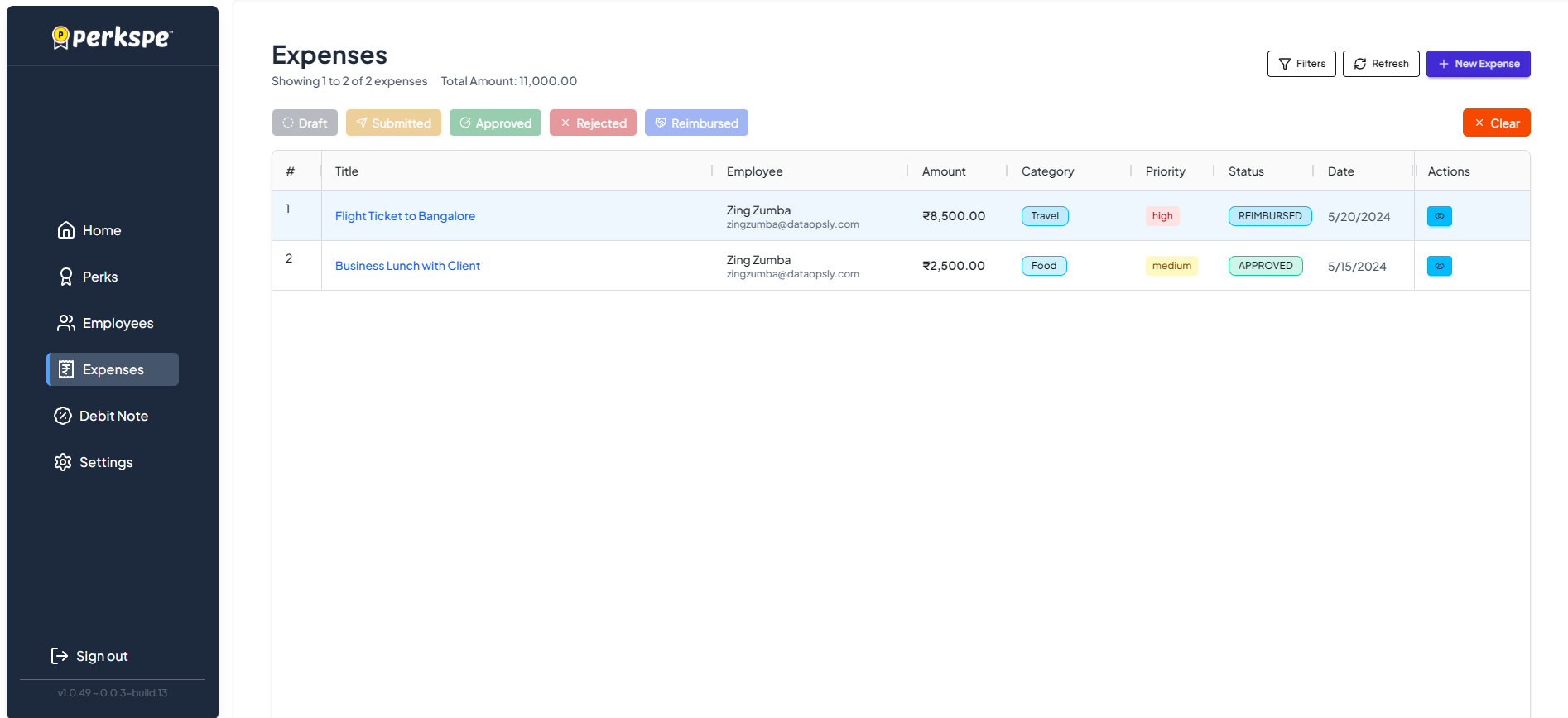
Managing Expenses
The Expenses screen provides a centralized view of all reimbursement claims.
Features
- Filters: Sort expenses by category, date, or amount.
- Status Tracking: Monitor expense status through different stages:
- Draft: Saved but not submitted.
- Submitted: Waiting for approval.
- Approved: Accepted by the admin.
- Rejected: Declined.
- Reimbursed: Payment processed.
- Actions: Use the action buttons to view detailed information or update the status of an expense.
Expense List Details
The list displays key information including:
- Title: The name or reason for the expense.
- Employee: The team member requesting reimbursement.
- Amount: The total value of the expense.
- Category: Classification (e.g., Travel, Food).
- Priority: Urgency level (e.g., High, Medium).